Why hosting companies look for a WHMCS alternative
Most searches for a WHMCS alternative start with an invoice. A hosting company that crossed 250 clients finds the monthly fee has stepped up, and the next tier is waiting a few hundred clients further on. As published in October 2026, WHMCS Plus for 250 clients is $34.95 a month, Business 1000 is $84.95, Business 5000 is $284.95 and Business Unlimited is $1,999.95. Growth, which should be good news, turns into a licensing problem.
Price is not the only reason. Some companies want billing software they can host on their own account and keep under their own control, with secrets stored encrypted and the database in their own hands. Others sell software as well as hosting and need licence keys issued by the same system that sends the invoice. Agencies that look after client websites want a smaller, simpler tool that still does provisioning, domains and tickets.
CoreInto was built for those cases. It is a self-hosted PHP and MySQL/MariaDB application with a client area, invoicing, domain registration, hosting provisioning, a support desk and a Licensing Manager in one install. Plans are priced by client count alone, from $7.99 to $19.99 a month, and a guided import copies your WHMCS records so you are not starting from an empty database. The rest of this page goes through pricing, the import, the familiar structure and the places where WHMCS still has more.
WHMCS alternative pricing compared per client count
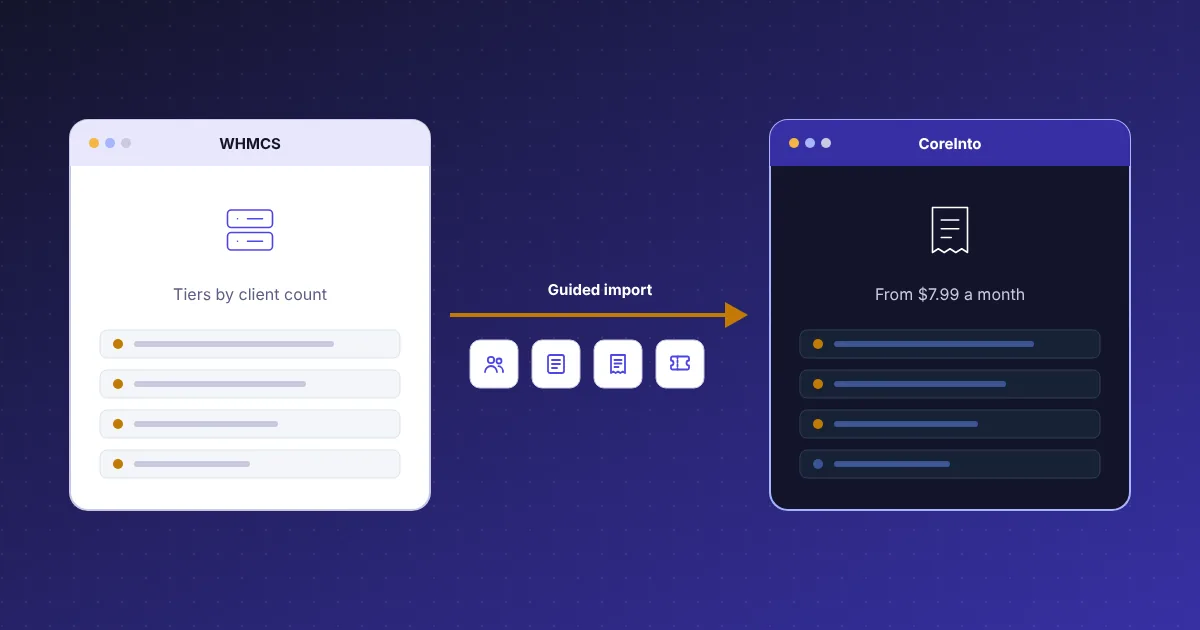
Put the two price lists next to each other and the gap is clear at every size. CoreInto Starter holds 250 client accounts for $7.99 a month or $79.99 a year; WHMCS Plus covers the same 250 clients for $34.95 a month as published in October 2026. At 1,000 clients CoreInto Plus is $9.99 a month against WHMCS Business 1000 at $84.95. At 5,000 clients CoreInto Pro is $12.99 against Business 5000 at $284.95. With no limit at all, CoreInto Unlimited is $19.99 a month against Business Unlimited at $1,999.95.
- 250 clients: $7.99 against $34.95
- 1,000 clients: $9.99 against $84.95
- 5,000 clients: $12.99 against $284.95
- Unlimited clients: $19.99 against $1,999.95
Two more CoreInto plans sit between those figures: Business for 25,000 clients at $15.99 a month, and the 10-day Free Trial for 25 clients at no cost. Yearly prices are $79.99, $99.99, $129.99, $159.99 and $199.99, roughly two months free. Every plan has the complete feature set, so you are never buying a tier to unlock a module; you are only buying room for more clients.
There are no branded and unbranded editions either. No CoreInto badge is forced into your client area on any plan. One key covers one installation, bound to its domain and folder, and when you outgrow a plan you buy the next one and enter the new key. Current figures are always on the pricing page.
What the guided WHMCS import brings across
Leaving WHMCS is only practical if the records come with you, so the import is part of CoreInto rather than a separate tool. It reads a WHMCS database from version 7.10 to 8.x directly and copies the records in a guided sequence: check the database, import now, and run again later. Nothing is typed in twice.
The import brings across currencies, staff accounts, clients and their users, products and their prices, servers and payment methods, orders, services, domains, invoices and payments, credit, quotes, support tickets, the knowledgebase, downloads, announcements, affiliates, the to-do list, and, if you choose, the email history and settings. Services keep their next due dates and domains keep their expiry dates, so renewal invoices continue from where WHMCS left off.
After each run CoreInto shows a comparison report that sets the counts in WHMCS against the counts now in CoreInto, and a notes page that explains what was skipped on purpose and why. Those two pages are where you check the result before trusting it, and they are what makes the import repeatable: you can look at the numbers, fix a product mapping or a currency, and run it again.
Hosting accounts with shell access can run the same import from the command line with php cli.php import-whmcs, which suits very large databases. The WHMCS import page walks through every screen.
Running the WHMCS import again until switch-over
A migration that has to happen in one night rarely goes well. CoreInto's import is designed to be run more than once. Install CoreInto on a separate hosting account or folder, import the WHMCS database, and spend as long as you need testing with real records while WHMCS keeps billing your clients. When you are satisfied, run the import again to pick up the orders, payments and tickets that arrived in the meantime, and switch.
Between runs, do the work that only you can do. Enter the credentials for your servers under Settings > Servers, your registrars under Settings > Domain Registrars and your gateways under Settings > Payment Gateways, and test each one against its sandbox. Set tax rules, choose the Classic or Horizon client-area template, edit the email templates and decide which staff roles see which reports. None of that is overwritten by a later import of records.
The import can also wipe what it brought in before importing again, so a bad mapping does not leave stale rows behind. On switch-over day the sequence is short: final import, read the comparison, point your clients at the new client area, and enter the licence key for the plan that fits your client count. Domains at the registrar are not touched by the import; CoreInto syncs them through the registrar modules once the credentials are in place.
A familiar admin structure for former WHMCS users
Staff who have spent years in WHMCS should not need a course to use the replacement. CoreInto's admin area is arranged around the same objects: Clients, Orders, Billing, Support, Settings, Reports and Utilities. Under Clients you find the client list and page, products and services, domain registrations, service add-ons, cancellation requests and affiliates. Under Settings sit General Settings with twelve tabs, Automation Settings with ten, products and services, configurable options, add-ons, bundles, promotions, domain pricing, currencies, servers, domain registrars, payment gateways, email templates and support departments.
Day-to-day work follows the same pattern too. An order is accepted, cancelled or marked as fraud, and accepting it can create the account on the server. An invoice has statuses, a numbering scheme, a PDF with your logo, and can be split, merged or cancelled. A service is created, suspended with a reason, unsuspended, upgraded, downgraded or terminated through its server module, and pending module actions wait in a queue when a server cannot be reached.
Where CoreInto differs, it is usually simpler rather than foreign. The admin folder can be renamed, two-step sign-in can be required for staff, every secret is encrypted with a key kept in the configuration file, and a single cron job runs all automation. The features page lists every area, and the admin guide covers each page in turn.
Keeping billing self-hosted after leaving WHMCS
Companies that leave WHMCS over control usually want to stay self-hosted, and CoreInto makes no attempt to move you to a hosted service. The whole system is a set of PHP files and one MySQL or MariaDB database on your own hosting account. Requirements are PHP 8.1 to 8.5 with PDO MySQL, and Apache or LiteSpeed with .htaccess for short addresses; the index.php?r= address style works on any server.
What CoreInto needs from outside is one thing: a daily licence check against system.coreinto.com. If the licence server cannot be reached, your site keeps working until the saved answer expires and then for a grace period. Even a lapsed licence only restricts the admin area to the licence page, with no provisioning and no new clients added by staff; the client area, payments and automation keep running. Your clients never see an outage because of a licence.
Backups and updates stay in your hands as well. CoreInto backs up its own database every day, keeps copies, and can restore them. Updates are downloaded from the licence server as signed releases and verified with CoreInto's release key before they are applied, with a Database Update step when a release needs it, and you can also update by hand with a zip. API credentials with scopes, allowed addresses and expiry let your website or control panel read and change records through the JSON API at /api/v1 without giving anyone the admin password.
What WHMCS has that CoreInto does not claim
A comparison that only lists wins is not worth reading, so here is the other side. WHMCS has been sold for a long time and has a marketplace of third-party modules, themes and integrations built around it. If your business depends on a particular marketplace addon, CoreInto has no equivalent catalogue to point you to. Its add-on modules today are the included Gateway Fee and Renewal Pricing modules, the separately sold PKNIC .pk registrar module, and whatever you or a developer build from the module guide in the manual.
WHMCS also ships many more payment gateways and registrar modules than CoreInto does today. CoreInto has manual payment, PayPal, Stripe, JazzCash and Easypaisa built in, with Authorize.net, 2Checkout, Skrill, WorldPay, PayFast, Perfect Money and crypto providers planned for a later update. Its registrar modules are ResellerClub, Namecheap, Spaceship, Porkbun and Dynadot, plus PKNIC sold separately and staff tasks for registrars without an API. If you take payments through a provider not on that list, you will need to wait or use manual payment with staff tasks.
The same honesty applies to the server modules. CoreInto provisions through intoPanel and cPanel & WHM, and issues licence keys through its Licensing Manager; other panels are not covered yet. The built-in gateways and registrars were implemented against the providers' documentation, so try the sandboxes and test accounts before taking real payments or placing real domain orders. Where WHMCS's long track record matters more to you than price or self-hosting, it remains the safer choice, and we would rather say so here than after an import.
Trying CoreInto as a WHMCS replacement for free
The quickest way to settle the question is to import your own database and look. The Free Trial plan lasts 10 days, holds 25 client accounts, needs no card and is limited to one per installation. Upload the files, create an empty database, open /install/ and enter the trial key when the installer asks for it, then add the cron job. From the first sign-in the full feature set is there, because trial and paid plans differ only in the client limit.
Use the ten days on the things that would hurt if they went wrong. Run the WHMCS import against a copy of your database and read the comparison report. Connect one server under Settings > Servers and test it. Add Stripe or PayPal in sandbox mode and pay a test invoice from the client area. Open a ticket by email through a department mailbox and answer it with a predefined reply. Switch the client area between Classic and Horizon, light and dark, and ask a colleague to find their invoices without help.
Twenty-five clients is enough to test every path, though a full import of a larger database will stop at the limit; the comparison report still shows what it found. When the trial ends, buy Starter, Plus, Pro, Business or Unlimited at system.coreinto.com and enter the new key under Utilities > CoreInto Licence. Nothing else changes. Questions before you start go to a ticket or sales@coreinto.com, and the free trial page has the install details.