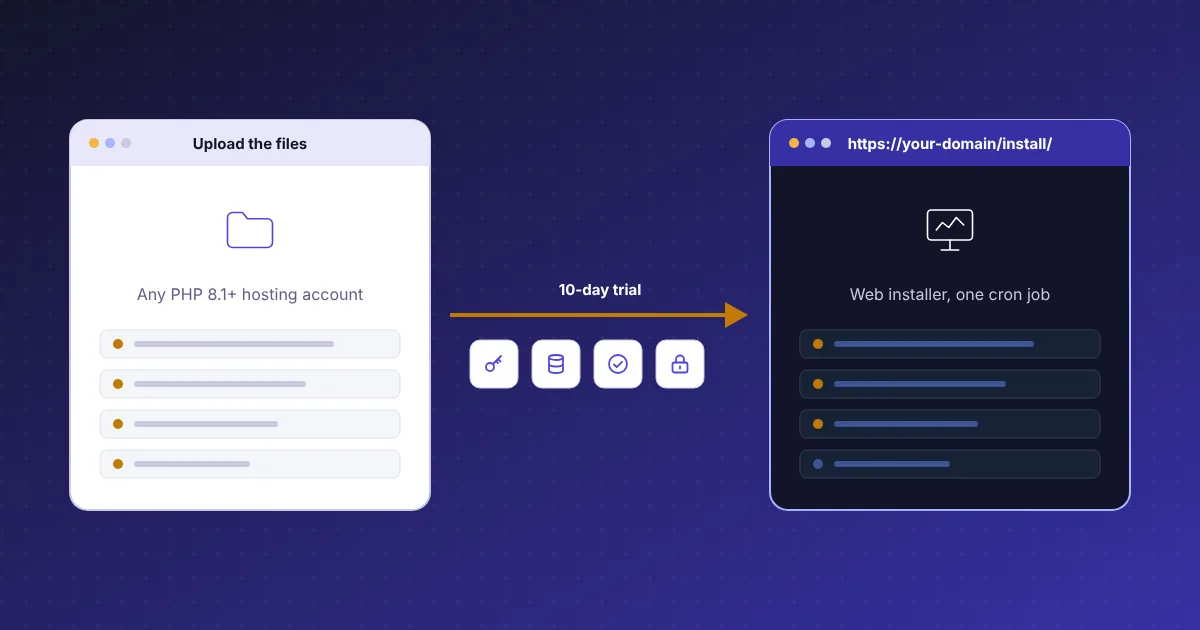
Start a free hosting billing software trial in ten days
The CoreInto trial is the full product, not a demo. You order the Free Trial plan at system.coreinto.com, receive a licence key, and install the same files a paying customer installs on your own hosting account. The key allows 25 client accounts and runs for ten days. No card is asked for, and one trial is allowed per installation.
Everything is switched on: the client area in Classic or Horizon, the catalogue, store and checkout, invoices and credit, the five payment gateways, the cPanel & WHM and intoPanel server modules, the five registrar modules, the support desk, affiliates, the 23 reports, the JSON API, the Licensing Manager and the WHMCS import. Gateway Fee and Renewal Pricing add-on modules are included as well.
Ten days is enough to install, add your products and servers, connect a registrar test account, run orders through sandbox gateways and import a copy of a WHMCS database. If you decide to continue, you buy a plan from $7.99 a month and enter the new key on Utilities, CoreInto Licence; the installation and the data you created in the trial carry straight on.
What the 25-client trial lets you test
Twenty-five client accounts sounds small until you remember what a client is in CoreInto: a billed account that can have several users, many services, domains, invoices and tickets. For testing, that is room for a reseller account with three logins, a handful of shared hosting clients, a software licence buyer and a few guest orders, each with a full history of invoices and emails.
Staff accounts do not count against the limit, so you can create administrators with different roles to see what each may open. Products, servers, currencies, tax rules and email templates are unlimited. Nor do users count: invite a second login to a test client, give it limited permissions and sign in with it to see how the client area narrows.
The limit matters only if you import a large WHMCS database, because the import brings across every client. For a trial, import a copy with a sample of clients, or run the import and use its comparison report and notes to confirm what would come across, then buy the plan sized for the real count before the switch-over. The pricing page explains how the limit is counted.
Server requirements before you install the trial
CoreInto runs on an ordinary hosting account. It needs PHP 8.1 to 8.5 with the PDO MySQL extension, and a MySQL or MariaDB database that you create empty before opening the installer. Apache or LiteSpeed with .htaccess gives short addresses such as /client/invoices; on a server without .htaccess the index.php?r= address style works everywhere and is chosen in the settings.
One cron job is required. It runs the daily tasks, such as invoice generation, reminders, suspension, termination, domain sync, currency rates, backups and prune, and the frequent tasks, such as the email queue, ticket mailboxes and the module queue. The installer shows the command to add, and Utilities, Automation Status reports when each task last ran.
Two things are worth doing on day one. First, note where the configuration file keeps the encryption key, because API keys, gateway keys, saved card tokens and the licence signing key are encrypted with it and a database backup without it cannot be read. Second, consider renaming the admin folder and requiring two-step sign-in for staff, both of which are documented in the admin guide under Getting started.
Setting up a product and taking a test order
Under Settings, Products/Services, create a product group and then a product. Choose its kind, shared hosting for a first test, give it a monthly and a yearly price and, if you like, a setup fee. Add a configurable option such as disk size with a price per choice, and a promotion code to try at checkout. Mark the product featured so it is highlighted in the store.
Open the store in a private browser window as a visitor. Add the product to the cart, choose a term, enter the promo code and go through checkout as a guest, filling in the details that will become the client account. Pay with manual payment, which records the invoice as awaiting your confirmation, or with a gateway in sandbox mode. The order appears under Orders, List All Orders.
On the order page, accept it. If the product has a server module, CoreInto creates the account on the server when the setting for automatic set-up is on order, payment or acceptance. Then open the client page to see the service, the invoice, the transaction and the email history, and sign in as the client to see the welcome email, the dashboard with its Pay now button and the My Services page.
Trying payment gateways in sandbox mode
Each of the built-in gateways has a settings page under Settings, Payment Gateways with a sandbox switch. Enter the sandbox credentials from PayPal, Stripe, JazzCash or Easypaisa, enable the gateway and pay a test invoice from the client area. The manual asks that sandboxes be tried before real payments, because the gateway modules were implemented against the providers' documentation.
Billing, Gateway Log shows every answer a provider sent and how it became a payment, which is the quickest way to confirm that a callback address reached your installation. The settings page lists the addresses the provider needs. With Stripe, save a card during the test payment and let automatic capture pay the next invoice; the card expiry notice template sits under Settings, Email Templates with the others.
Manual payment needs no provider at all: set up bank transfer, mobile wallet or cash with the instructions clients see, and record the payment from the invoice as staff. Try a refund through the gateway, a credit note, and the add funds page to see the credit balance pay an invoice automatically. The payment gateways page lists what each gateway supports.
Connecting a cPanel or intoPanel server during the trial
Add a server under Settings, Servers. For cPanel & WHM, enter the hostname and a WHM API 1 token; the module talks on port 2087. For intoPanel, enter the hostname and a Bearer token for /api/v1 on port 7443. Use the test button to confirm the connection, then read the packages so you can match a product to one of them. Servers can be grouped so a product is created wherever there is room.
Point a product at the module and the server group, choose whether the account is created on order, on payment or on acceptance, and take an order. The module creates the account, and the service page in the admin area gains buttons to suspend with a reason, unsuspend, terminate, change package, change password, read disk and bandwidth and sign in to the panel. The client sees a Manage button and the same information on My Services.
Let the trial run long enough to see automation touch a service: leave an invoice unpaid past the suspension days you set and watch the daily run suspend it, then pay and watch it unsuspend. Utilities, Pending Module Actions shows anything waiting, and the module log records each call with secrets hidden. The hosting automation page has the full sequence.
Testing the WHMCS import on trial data
Companies leaving WHMCS can rehearse the move during the trial. Utilities, Import Data connects to a WHMCS 7.10 to 8.x database, checks it and imports currencies, staff, clients and users, products and prices, servers and payment methods, orders, services, domains, invoices and payments, support records, affiliates, the to-do list, email history and settings. The same import runs from the shell with php cli.php import-whmcs.
Because the trial holds 25 clients, run the import against a copy of the WHMCS database with a sample of clients rather than the whole table. The comparison report then shows the counts on each side, and the notes list what was skipped on purpose and why, so you know what to expect at full size. Running it again later updates the records brought across, which is how the real cut-over is done.
After the import, open a few imported clients and compare their invoices, services and domains with WHMCS. Connect the registrar modules so domains already at ResellerClub, Namecheap, Spaceship, Porkbun or Dynadot can be synced, and send a test reminder to confirm the email templates read correctly. The WHMCS import page documents the steps in order.
Converting your trial into a paid plan without reinstalling
When the ten days end, or before if you have seen enough, buy a plan at system.coreinto.com: Starter for 250 clients at $7.99 a month, Plus for 1,000 at $9.99, Pro for 5,000 at $12.99, Business for 25,000 at $15.99 or Unlimited at $19.99, each about two months cheaper on yearly billing. The new key appears on the service page in the client area there.
Open Utilities, CoreInto Licence in your installation and enter the new key, or run php cli.php licence-set KEY from the shell. The daily check picks up the new plan and limit. Nothing is reinstalled and nothing is reset: the products, servers, gateways, templates, clients and orders you created during the trial stay exactly as they are, so a test installation can become the production installation.
If the trial lapses before a key is entered, the admin area becomes restricted to the licence page while the client area, payments and automation keep running, and entering a valid key lifts the restriction. Should you prefer a clean start, delete the test records or install again into a fresh database and enter the paid key in the installer. Questions about plans go to sales@coreinto.com or a ticket at system.coreinto.com/contact.