TLD pricing by year for register, transfer and renew
Domain pricing in CoreInto is a table under Settings > Domain Pricing with one row per TLD. For each TLD you set the price to register, to transfer and to renew, and you set them by number of years, so a .com for one year and the same .com for three years can carry different per-year rates. Prices are entered per currency, which lets a reseller selling in rupees and dollars round each to a figure that reads well rather than show a converted fraction.
Two flags per TLD tell the rest of the system how the registry behaves. The EPP flag records whether transfers of that TLD need an EPP code, so the transfer form asks for one only when it is required. The ID protection flag records whether WHOIS privacy can be sold for that TLD, which decides whether the option appears in the cart. Together with the TLD rules in the domains settings, these flags are what let one store sell gTLDs and country-code domains without special cases.
Pricing feeds every later step. The store's domain search shows the register price for the TLD the visitor typed, the cart adds the transfer price when a Transfer button was used, and the renewal invoice generated ahead of expiry uses the renew price for the term the client chose. The Renewal Pricing add-on module included with CoreInto lets renewals differ from first-year prices where a registrar's wholesale cost makes that necessary. A free domain with hosting is set on the product, and the domain's renewal then follows your rules after the included term.
Domain registration flow from store to cart to registrar
A visitor to a hosting-provider store starts at the domain search box on the home page. CoreInto checks availability for the name and TLD, shows the price, and offers to add the domain to the cart alone or with a hosting product; the same box handles the Transfer button for a domain the visitor already owns. Checkout takes guest or signed-in orders, asks for the registrant details, the number of years and, for TLDs that support it, ID protection, and places the order.
When registration happens is a setting. The manual's When registration, transfer and renewal happen section describes the choice: the module can be called when the order is paid, or when a staff member accepts the order, and a registrar with no module gets a staff task at the same moment. Paying the invoice is what most resellers choose, because it means a client who pays at midnight has a working domain by morning without anyone on duty. The order page shows the domain alongside any hosting bought with it, and accepting the order can create the hosting account on the server in the same step.
The registrar's answer closes the loop. A successful registration sets the domain's registration and expiry dates, its status and the nameservers used, and sends the domain registration email from an editable template. A failed call is recorded in the module log with secrets hidden and the domain stays pending for staff to retry, so a registrar outage never silently loses an order. Every domain, whatever its route, ends up under Clients > Domain Registrations with the same fields.
Registrar API modules: ResellerClub, Namecheap, Spaceship, Porkbun and Dynadot
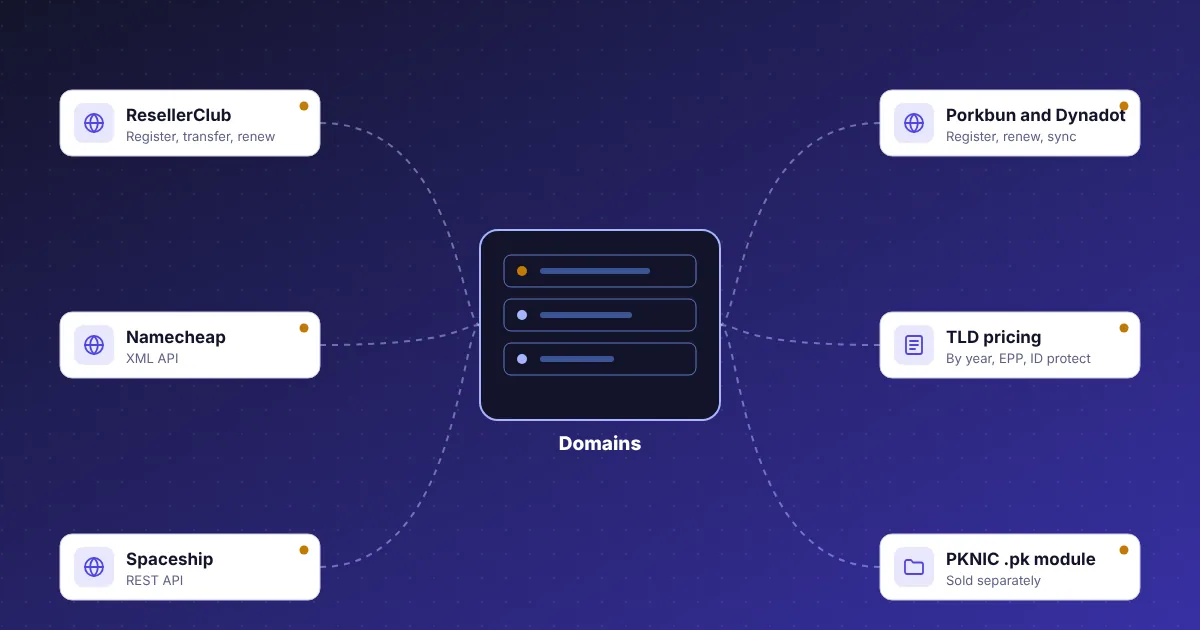
Five registrar modules are part of CoreInto. Each is set up under Settings > Domain Registrars with the credentials the registrar issues, and each has a test that confirms CoreInto can reach the account before a real order depends on it. The modules cover the same set of operations: register, transfer in with an EPP code, renew, change nameservers and contacts, set or release the transfer lock, fetch the EPP code for a transfer out, and read the dates and status for syncing.
More than one module can be set up at once, so a reseller with accounts at two registrars keeps both connected and the TLD rules under the domain settings govern how each TLD is treated. Clients see their domain in My Domains with its expiry date and the actions you allow; staff see the registrar on the domain page under Clients > Domain Registrations and can run any of the module's operations by hand when a client asks for help.
Two cautions belong here. The modules were built against the registrars' public APIs, and registrars change their APIs, so the manual recommends a test account at each registrar before placing real orders through CoreInto; the test button on the registrar settings page is the first step and a sandbox or test registration is the second. Secondly, a registrar not in this list is not a blocker: staff tasks cover it, and the add-on module system lets a developer build a module for it in the same folder structure the five built-in ones use.
PKNIC .pk domain module for Pakistan resellers
.pk domains are registered through PKNIC, and PKNIC's reseller interface is a member dashboard rather than a public API. CoreInto's PKNIC module, sold separately as an add-on module, works that SRS member dashboard on your behalf so .pk registrations, transfers and renewals placed in your store are completed at PKNIC like any other domain. The module is installed under Settings > Add-on Modules from the package you receive and configured with your PKNIC member credentials.
Pricing for .pk and its second-level variants is set in Settings > Domain Pricing like any TLD, with register, transfer and renew prices by year in whichever currencies you sell. Clients in Pakistan, shown rupee prices through per-country currency by GeoIP, can search for a .pk name on the home page, add it to the cart with a hosting plan, and pay through JazzCash, Easypaisa, a saved card or a bank transfer. The domain then appears in My Domains with its expiry date, and renewal notices and renewal invoices follow the same schedule as every other TLD.
Why a separate module rather than built in? The PKNIC dashboard is a different kind of integration from a public API, and selling it separately keeps the standard licence free of a component most resellers outside Pakistan would not use. Hosting companies that need it buy it once from the CoreInto store and install it like the Gateway Fee or Renewal Pricing modules. Before the module is installed, or for any registrar reached only by hand, CoreInto's staff tasks keep .pk orders moving: the order creates a task, a staff member completes it at PKNIC, and the domain record is updated.
Staff tasks for registrars without an API and manual domains
Not every registrar a reseller uses has an API, and some domains are managed by a partner or a client's own account. CoreInto handles this with staff tasks. A domain registration, transfer or renewal that has no module attached creates a task when it would otherwise call a module, listing the domain, the client, the operation and the years. A staff member completes the work at the registrar, enters the dates and nameservers, and marks the task done, which updates the domain record and sends the client the same email a module would have triggered.
Bringing existing domains in follows the same thinking. A client who already owns domains elsewhere can have them added to their account under Clients > Domain Registrations without registering anything: staff enter the name, the registrar module if there is one, the expiry date and the price, and CoreInto takes over billing from the next renewal. Domains imported from a WHMCS database arrive the same way, and the manual's Related: domains at the registrar section explains what to check at the registrar afterwards.
The point of all this is that the client experience does not depend on the registrar. A client sees every domain in My Domains with its expiry date, receives renewal notices on schedule, and pays renewal invoices generated ahead of expiry, whether the registrar is reached by API, by dashboard or by a staff member's browser. Reports under the Reports menu list domains with filters and export to CSV, so a reseller knows how many domains expire next month at each registrar before the renewals arrive.
Nameservers, transfer lock and EPP codes in the client area
Once a domain is registered, clients manage it from My Domains. The page opens with tiles for active domains, domains expiring within 30 days and pending ones, and shows a notice when something expires soon. Each domain has a page with the actions the settings for domains allow: change nameservers, edit the registrant and other contacts, turn the transfer lock on or off, and request the EPP code for a transfer away. The registrar module performs each action at the registrar and the result is written to the domain record.
Nameserver changes are the common case. A client moving a site to a new server enters the new nameservers, CoreInto sends them to the registrar through the module, and the change is recorded on the domain, so a support ticket about a site that stopped resolving can be answered from the record. Contacts follow the registrant details given at order time and can be edited later, with ID protection hiding them in public WHOIS where the TLD supports it.
Transfer lock and EPP codes are deliberately the client's to control. The lock prevents an unauthorised transfer where the registrar supports it; releasing it and fetching the EPP code are two explicit actions, so a client cannot lose a domain by accident. Staff can do all of the same from the admin domain page, and the module log records every call with secrets hidden. The domain's transfer in to CoreInto works in reverse: the client supplies the EPP code at checkout, the module submits the transfer, and syncing picks up the completed status.
Domain sync, renewal notices and expiry automation
A domain record is only useful if its dates are right, so the daily run includes a domain sync task. For each domain with a registrar module it reads the expiry date and status from the registrar and updates the record when they differ, which catches a renewal paid directly at the registrar, a transfer that completed overnight, or a domain that expired because a client let it. Manually managed domains keep the dates staff entered, and the sync task can be run by hand from Automation Status when a change should show up at once.
Renewal notices are emails sent on the days you set before expiry, from an editable template with the domain, the date and a link to the renewal invoice. The renewal invoice itself is generated ahead of the due date by the same invoice generation task that handles hosting, using the renew price for the TLD and the client's currency, so a client with hosting and a domain due in the same week may receive one invoice for both. Payment calls the registrar module to renew, and the new expiry date comes back through sync.
Expiry is handled honestly. A domain whose renewal invoice is not paid is not renewed, and its status changes as the registrar reports it; CoreInto does not pretend a lapsed domain is active. Emails about domains cover registration, transfer, renewal and expiry so the client has a record at each step, and the Email Message Log shows what was sent. Automation Status lists the domain sync and notice tasks with their last run, which is where to look if a client says they were never warned. Settings for domains decide how many days before expiry the notices go out and which actions clients may take themselves.
Hosting-provider versus software-seller store type
Not every CoreInto installation sells domains. The store type is one setting with two values. As a hosting provider, the store shows hosting plans and the domain search and transfer box, the home page opens with the quick links Buy a Domain, Order Hosting, Make Payment and Get Support, and the client area has My Domains. As a software or licence seller, the domain pages are hidden, the wording changes from hosting to licences, and the client area shows licence keys on service pages instead. Nothing is lost by switching; the domain settings and pricing stay in the database and reappear if you switch back.
The hosting-provider type is what a domain reseller wants. The store menu title, the home heading, the text and the button are configurable, so a reseller whose main business is domains can lead with the search box and put hosting second. Free domain with hosting is set per product, which is how a domain-first store upsells a plan: the domain the visitor searched for becomes free when a chosen hosting product is in the cart, and the renewal follows your pricing after the included term.
Both store types share everything else: the same invoices, gateways, support desk, affiliates and reports. A company that sells hosting and domains and also licenses its own software uses the hosting-provider type and adds products that use the Licensing Manager module, and the client sees domains, hosting accounts and licence keys in one account. The store type is changed under General Settings whenever the business changes, and the two client-area templates, Classic and Horizon, each render whichever type is set.