Selling software licences by subscription from your own billing system
Most billing systems built for hosting companies assume that a product ends in an account on a server. CoreInto has a second kind of product: one that ends in a licence key. The Licensing Manager is a module you choose for a product in the same place you would choose intoPanel or cPanel & WHM, and from then on every service sold under that product is a licence rather than a hosting account. The order, the invoice, the renewal and the cancellation all behave exactly as they do for hosting, which means a vendor who already runs CoreInto does not need a second system to sell a program.
This is not a theoretical feature. CoreInto's sister products, the intoPanel control panel for AlmaLinux and the StackRegent panel for Windows Server, are both sold through the Licensing Manager on their own CoreInto installations at buy.intopanel.com and panel.stackregent.com. CoreInto's own licence server at system.coreinto.com runs the same module. The pages, the check addresses and the signed releases described here are the ones those stores use every day.
If your store sells only software, the store type setting switches the client area to licence wording and removes the domain pages, so the catalogue reads correctly for a software vendor. A company that sells both hosting and software keeps the hosting store type and simply adds licence products alongside hosting plans; nothing is lost either way.
Licence keys with a product prefix that follow the service
Every service that uses the Licensing Manager receives one licence key. The key begins with a prefix you set on the product, so a glance at a key tells staff which program it belongs to, and the rest of the key is generated by CoreInto when the service is set up. Set-up can happen automatically on order, on payment or on acceptance, according to the ordering settings, or by staff pressing the set-up action on the service page.
The licence follows the service through its life. When the renewal invoice is paid, the licence's expiry moves with the next due date. When the invoice goes unpaid and the service is suspended by the automation run, the licence stops validating at the next check. When the service is terminated, so is the licence. An upgrade or downgrade between products changes the edition and limits the licence reports. Staff do not maintain a separate list of keys; they manage services as they always have, and the licence state is a consequence.
The client sees the key on the service page in the client area, together with its status, what it is bound to and the time of the last check. The New licence key email, from the license_welcome template, is sent when the key is issued and can be edited and translated like any other template.
Binding a licence to an IP, domain, folder or machine
A licence that works anywhere is worth little. The Licensing Manager binds each key at its first successful check to one or more of four things: the IP address the check came from, the domain the program reports, the folder it is installed in, and a machine identifier the program sends. Which of these are enforced is a choice you make for the product, so a web application might bind to domain and folder while a server daemon binds to the machine.
At every later check CoreInto compares what the program reports with what was recorded. If the binding matches, the answer is positive and the licence checks log gains a line with the time, the address and the result. If it does not match, the check fails and the program falls back to the grace days you configured before it restricts itself. Staff see the recorded binding on the service page in the admin area and can clear it when needed.
Clients can clear it themselves. The Reissue Licence button on the client's service page removes the binding so the program can be moved to a new server, a new domain or a new folder; the licence binds again at its next check-in. That removes the most common licensing ticket, the one that says the customer reinstalled and now the key does not work.
Signed licence answers with ECDSA P-256 and JWT ES256
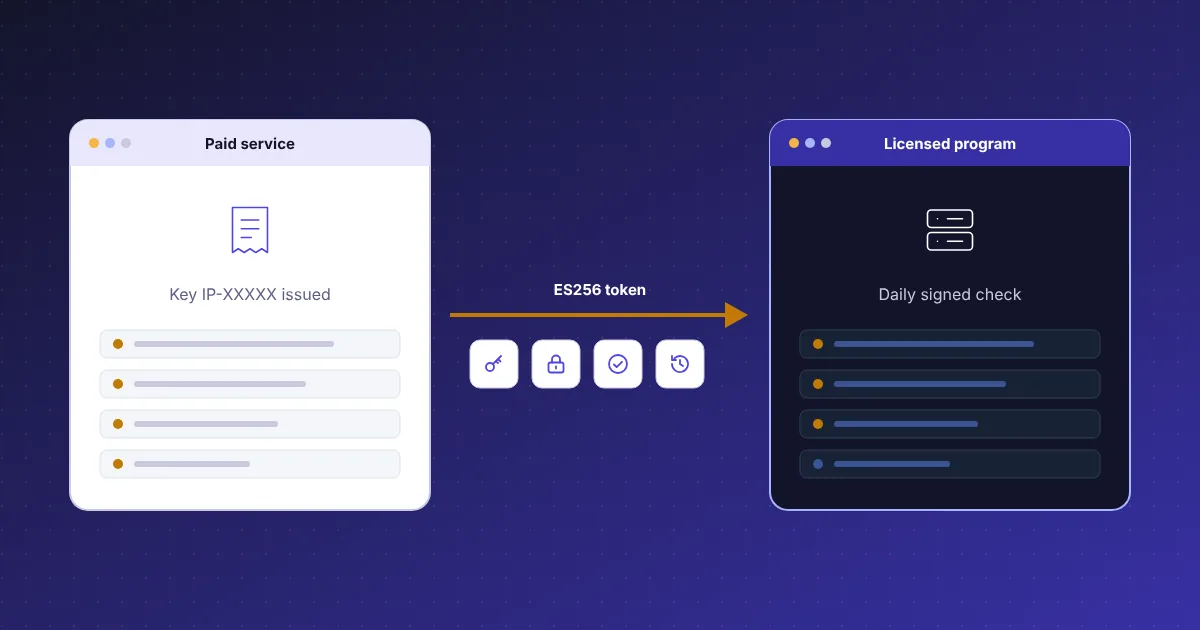
A check answer that is plain text can be faked by anyone who controls DNS or a proxy between the program and your server. CoreInto signs every answer with a private key held on your installation. Version 1 answers carry an ECDSA P-256 signature over the response; version 2 answers are JSON Web Tokens signed with ES256, which is the same curve expressed in a format that has libraries in every common language. Your program embeds the matching public key and refuses any answer that does not verify.
The signing key pair is generated from the Licensing Manager's admin pages. The private half is one of the secrets CoreInto encrypts with the key kept in the configuration file, alongside gateway keys and saved card tokens, so a copy of the database alone does not expose it. The public half is what you ship. Keep the configuration file in your backups, because without its encryption key the signing key cannot be read.
The signed answer carries the facts the program needs to decide what to allow: whether the licence is valid, the product code, the edition, the account limit, the feature flags, the expiry and the grace days. The program can keep the last good answer and work from it until it expires, which is the same rule CoreInto's own licence follows when the licence server cannot be reached.
Product codes, editions, account limits, features and trials
One program often sells as several plans. The Licensing Manager lets each product define a product code, an edition name, an account limit and a set of feature flags, and these are returned in the signed answer so the program can enforce them. The intoPanel plans, for example, differ only by how many hosting accounts a server may hold; that number is the account limit on the licence, and the panel reads it from the check answer rather than from anything on the server that a customer could edit.
Editions and features let you sell a Standard and a Professional version of the same download. The program checks for a flag in the answer and turns a feature on or off; there is no separate build to maintain. Upgrade and downgrade paths between the products are set in the catalogue, and when a client upgrades, the next check returns the new edition.
Trials are a product setting too. A trial product issues a licence that validates for the trial length and then stops, and a trial can be limited to one per installation through the binding. Grace days are set separately: they are how long a program keeps working after a check fails, so a weekend network problem or a late invoice does not switch a customer's software off at once. Both values are reported in the answer so the program can show them to its user.
Signed releases verified with a release key you keep offline
Licensing decides whether a program may run; releases decide what code it runs. Version 2 of the Licensing Manager adds releases to a product. You upload a release zip for a product code, licensed programs ask your CoreInto for the newest release they are entitled to, download it with their licence key, and verify it before installing. This is exactly how a licensed intoPanel or StackRegent server updates itself, and how CoreInto itself downloads signed updates from system.coreinto.com.
The signature on a release is made with a release key that is different from the licence signing key, and it is made outside CoreInto. The tools/release.php script signs a release on a machine you control, which lets you keep the release private key offline rather than on the web server that answers licence checks. The public release key is built into your program. If the web server were ever compromised, an attacker could not sign a release that your installed base would accept.
Programs check the size, the hash and the signature of what they downloaded against what the release record says before unpacking anything. A release that fails any of the three is discarded. The developer guide documents the release addresses and the fields a program should verify.
The licence checks log, reissue by clients and housekeeping
Every check-in is recorded. The licence checks log lists, for each licence, when the check happened, the address it came from, the binding the program reported and the result CoreInto returned. Staff use it to answer the questions that come with licensed software: whether a customer's installation is actually talking to the server, whether the key is being used from two places, and when a licence last validated before a complaint arrived. The log is kept with the other logs, and housekeeping removes old entries on the schedule you set.
Reissue is the client's own tool and the staff's as well. On the client side, the service page carries a Reissue Licence button that clears the binding; on the admin side, the service page shows the same binding and lets staff clear it, re-issue the key or look at the check history. Because the key itself can be regenerated, a leaked key is handled by reissuing rather than by cancelling the service and selling a new one.
Housekeeping covers the small things that pile up: pruning old checks, removing bindings from terminated services, and keeping release files tidy. These run inside the ordinary cron job that drives the rest of CoreInto's automation, so there is nothing extra to schedule. The Automation Status page shows when each task last ran.
Check addresses, the PHP check function and the API
Integrating a program takes two addresses and a little code. The developer guide chapter on the Licensing Manager publishes the check address a program calls with its key and its binding details, and the release address it calls to find and download updates. For PHP programs the guide includes a ready-made check function: it sends the request, verifies the signature against your public key, and returns the decoded answer with its validity, edition, limits, features and expiry. The function is written to be copied into your code as a starting point.
The php cli.php licence-check command is the same check performed from the shell, which is handy when testing a new product before any program exists, and licence-set writes a key into an installation. For other languages the format of the request and of the ES256 token are documented so the function can be rewritten in a few dozen lines.
The JSON API at /api/v1/ exposes licence services like any other service, so a website or an internal tool can list a client's licences, read their binding and status, or trigger a reissue using API credentials with the right scopes. The developer guide holds the reference, and the features page shows where licensing sits among everything else CoreInto does.