A billing platform for hosting resellers and agencies, not a partner tier
There is no separate partner programme to join, no application form and no revenue share. What CoreInto offers companies that bill other people is a billing system that is bought once per installation, holds every feature on every plan, and is open enough to be wired into whatever else they run. Hosting resellers, agencies that host what they build, domain sellers and software vendors are all served by the same product; this page explains how each uses it and where the connection points are.
The economics matter to a reseller more than to anyone. A reseller's margin on a hosting account is small, and a billing system priced per client or sold in branded and unbranded tiers eats into it. CoreInto's plans at system.coreinto.com are priced by how many client accounts the installation may hold, from Starter at $7.99 a month for 250 accounts to Unlimited at $19.99, and the pricing page has the live table. The feature set does not change between them.
Everything below is drawn from what the software does today: the licence model, per-client plans, the API, the modules you can build and install, the server and registrar modules, and where to get help. Nothing here depends on a side agreement.
One licence per installation and plans by client count
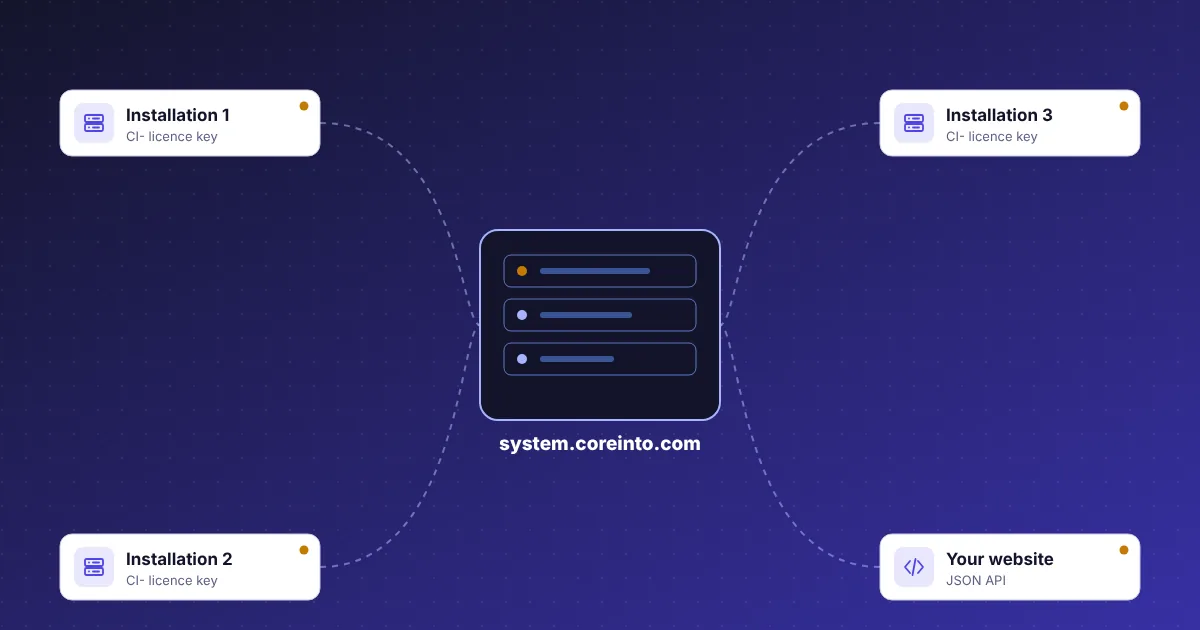
A CoreInto licence key, in the form CI- followed by four groups of five characters, belongs to one installation. It is bound to the site's domain and folder, entered during the web installer or later under Utilities › CoreInto Licence, and checked against system.coreinto.com once a day. An agency that runs billing for two separate brands on two separate installations needs two keys; one that serves many clients from one installation needs one, on a plan large enough for its client count.
The client limit is the only thing a plan decides. The Free Trial allows 25 client accounts for 10 days, Starter 250, Plus 1,000, Pro 5,000, Business 25,000 and Unlimited has no limit, with monthly or yearly billing in USD and yearly working out at about two months free. Every plan has the same gateways, modules, support desk, Licensing Manager and API. When an installation grows, the plan is changed in the client area at system.coreinto.com, not by reinstalling.
The licence check is tolerant of outages. If the licence server is unreachable, the site works on its saved answer until it expires and then through a grace period. Should a licence lapse, the admin area is restricted to the licence page, with no provisioning and no new clients created by staff, while the client area, payments and automation carry on. A partner's own clients never see the difference.
Self-hosted billing with a client area in your own brand
CoreInto installs on an ordinary hosting account: a set of PHP files, one MySQL or MariaDB database, a web installer and one cron job. PHP 8.1 to 8.5 with PDO MySQL is required; Apache or LiteSpeed with .htaccess gives short addresses, and an index.php?r= style works anywhere else. The data stays on your server, API keys and gateway secrets are encrypted with a key held in the configuration file, and the admin folder can be renamed. Two-step sign-in with TOTP can be required for every staff account.
What your clients see is yours to shape. Two client-area templates are included, Classic with a top menu and account sidebar and Horizon with an app shell and a dark side menu, each in light and dark themes, and a template folder can be copied to make your own. The store menu title and layout, the home heading and text and the buttons are settings. No CoreInto badge is forced into the client area on any plan.
Languages are chosen by the client. English and Urdu are included, with right-to-left handled, and another language is added by filling in a template; email templates have per-language versions. An agency serving clients in several countries can also set a currency per country through GeoIP, with exchange rates kept up to date by the daily run.
The API that connects your website, control panel and scripts
Partners rarely want their clients to start at the billing system. A marketing site with its own domain search, a control panel that shows invoices, or an internal script that creates clients from a CRM all need to talk to CoreInto, and the JSON API at /api/v1/ACTION is how they do it. Actions cover clients, orders, services, domains, invoices, payments, tickets and more, so an outside program can read and change the same records staff see in the admin area.
Access is through API credentials created under Settings › API Credentials. Each credential has scopes that limit which actions it may call, a list of allowed addresses, and an expiry date, so a website front end gets order and client scopes from its server's address only, while a reporting script gets read-only access. Every call is written to the API log with the credential that made it, which is the first place to look when an integration misbehaves.
The developer guide documents calling the API, worked examples and the reference for each action. intoPanel exposes a matching API on its own side, which is how a CoreInto installation provisions accounts on it; a partner who writes their own panel can do the same in the other direction.
Add-on modules you can build and install yourself
Not every feature belongs in every installation, so CoreInto keeps optional features in add-on modules. Each module is a folder under modules/ beside app/, with its own code, pages and README, and Settings › Add-on Modules turns modules on and off and installs one supplied separately. Two modules are included: Gateway Fee, which adds a fee to payments made through a chosen gateway, and Renewal Pricing, which lets a renewal be priced differently from the first term.
The same layout is open to partners. The developer guide has a chapter on how a module is built: where its files go, how it registers pages in the admin and client areas, how it reads and writes settings, and how it hooks into the events it needs. A reseller who wants a page that only their business needs, or an integrator who maintains a connection to a local payment provider, builds it as a module and installs it on each installation they run, without editing CoreInto's own files and without losing it at the next signed update.
Registrar and gateway integrations follow the same path. CoreInto's own PKNIC module for .pk domains, sold separately, is built this way and works the registrar's SRS member dashboard. A partner with a registrar or gateway that has no built-in module can write one against the public API the provider offers and keep it private or sell it.
intoPanel and cPanel & WHM modules for provisioning accounts
Billing without provisioning is only half the job. CoreInto includes two server modules. The intoPanel module talks to intoPanel's /api/v1 on port 7443 with a Bearer token; the cPanel & WHM module uses a WHM API 1 token on port 2087. Both can test the connection, read the packages on the server, create an account, suspend it with a reason, unsuspend it, terminate it, change its package, change its password, read disk and bandwidth use, and sign staff or the client straight into the panel.
Servers are listed under Settings › Servers and grouped, so a product can be set to create accounts on whichever server in a group has room. Creation can happen automatically on order, on payment or on acceptance, and the life of a service, from fixed terms and upgrades to cancellation requests and termination, is driven by the daily automation run. Actions that cannot be completed at once wait in the pending module actions queue, and the module log records every call with secrets hidden.
A reseller renting a cPanel server enters one WHM token and sells packages from it; a hosting company running intoPanel on several AlmaLinux machines adds each with its own token. The hosting automation page goes through the whole service life, and the features page lists what else sits around it.
Domain registrars and the PKNIC .pk module sold separately
Domain selling is part of most reseller and agency businesses, and CoreInto handles registration, transfer and renewal through registrar modules built against the public APIs of ResellerClub, Namecheap, Spaceship, Porkbun and Dynadot. Test accounts are recommended before real orders. Pricing is set per TLD for registration, transfer and renewal by number of years, with flags for EPP codes and ID protection, and a free domain can be bundled with a hosting product.
For .pk domains, the PKNIC registrar module is sold separately and installed as an add-on module. PKNIC has no conventional API, so the module works the SRS member dashboard on your behalf to register, renew and update domains for clients. Resellers in Pakistan who also take JazzCash and Easypaisa payments, both built in, can run the whole .pk business from one installation.
Registrars with no module at all are still supported through staff tasks: the invoice is raised and paid as usual and a to-do item tells staff what to do by hand. Existing domains can be brought in, nameservers and transfer locks managed, contacts and EPP codes shown to clients, and renewal notices sent on the schedule you set. The domain reseller billing page has the detail.
Support and documentation for partner installations
Support for a licensed installation is by ticket at system.coreinto.com/contact, from the same client area where your licence keys and invoices are, so the person answering can see which installation and plan the question concerns. Sales questions, including ones about running several installations, go to sales@coreinto.com or through the form on the contact page. There are no published support hours or response times to quote; what there is, is a ticket that stays in one thread.
Most questions are answered by the manual before a ticket is needed. The administrator guide covers twenty chapters from installation to the CoreInto licence, the client guide describes every client-area page, and the developer guide holds the API reference, the command line and the chapter on building add-on modules. The same documentation is built into CoreInto and published under /docs on this site.
Updates arrive as signed releases downloaded from the licence server and verified with CoreInto's release key, with a Database Update step when a release needs one, or by uploading a zip by hand. Daily database backups with kept copies and a restore function are part of every installation, so a partner can keep each installation current and recoverable without extra tools.