Tickets where the context already is#
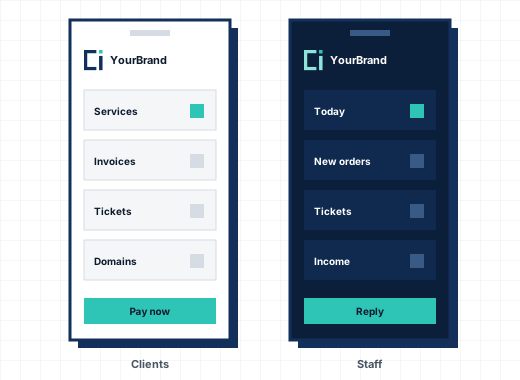
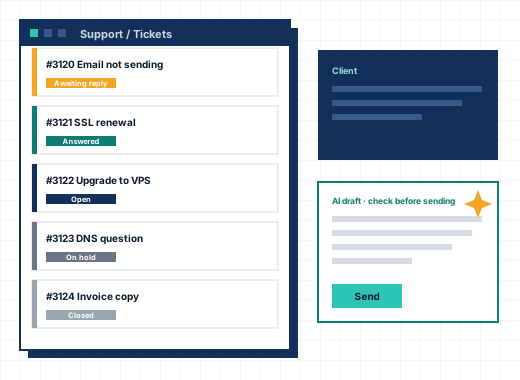
Support in a hosting company is about one client and their services, so CoreInto shows them next to the ticket: the client's products, domains, unpaid invoices and recent tickets, one click from the reply box. Staff can answer, add a private note, change the department, status or priority, merge tickets and insert a predefined reply or a knowledgebase link without leaving the page.
Tickets by email#
Each department can have its own address. Email reaches CoreInto by piping from your mail server or by POP3 or IMAP mailboxes that CoreInto reads every few minutes. Replies thread onto the right ticket, attachments are kept, and a spam control drops messages by sender, subject or content. Guests can open tickets too, and get a link to follow them without an account.
Departments, statuses and escalations#
Departments decide which staff see which tickets. Ticket statuses are yours to name and colour. Escalation rules move a ticket to another department, change its priority or notify staff when it has waited too long, so nothing sits unanswered over a weekend. Idle tickets close themselves after the time you set.
Live chat#
Turn on the live chat box and every client area page gets a chat button. Staff answer from the admin area, see who is waiting and on which page they are, and can save a chat as a ticket. When nobody is online, the box takes a message and turns it into a ticket.
AI-drafted replies with your own key#
On any ticket, staff can ask the AI assistant for a draft. It uses the service you choose, Anthropic Claude, OpenAI ChatGPT, Google Gemini, xAI Grok or DeepSeek, with your own API key, stored encrypted. Ticket text is sent only when a member of staff presses the button, and every draft is read and edited before it is sent. The client never receives a message nobody has checked.
Knowledgebase, announcements, downloads and network issues#
The knowledgebase has categories, articles, search and a "was this helpful" vote. Announcements publish news to the client area. Downloads hold files for clients, open to everyone or to clients with a given product. Network issues tell clients about outages and maintenance on the servers they use.
Signatures and statistics#
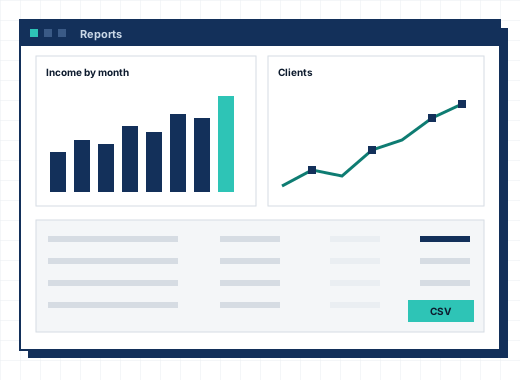
Each member of staff has a signature that is added to their replies. The support overview shows tickets opened by period, average first reply time and replies by hour, so you can see where the queue grows.
Frequently asked questions
Can CoreInto read tickets from email?
Yes, by piping from your mail server or by reading POP3 or IMAP mailboxes every few minutes. Replies thread onto the right ticket.
Does the AI assistant reply to clients by itself?
No. It writes a draft only when a member of staff asks, and staff always read and edit it before sending.
Which AI services can I use?
Anthropic Claude, OpenAI ChatGPT, Google Gemini, xAI Grok or DeepSeek, with your own API key.
Is there live chat?
Yes. Turn it on and a chat button appears on every client area page. Messages left while nobody is online become tickets.